
How do I avoid charges from my home carrier?
As long as data goes through the eSIM, your home carrier doesn't bill for data. To be sure:
- 1
Select the eSIM line under "Cellular Data" and turn off "Allow Cellular Data Switching", so the phone never falls back to your home line.
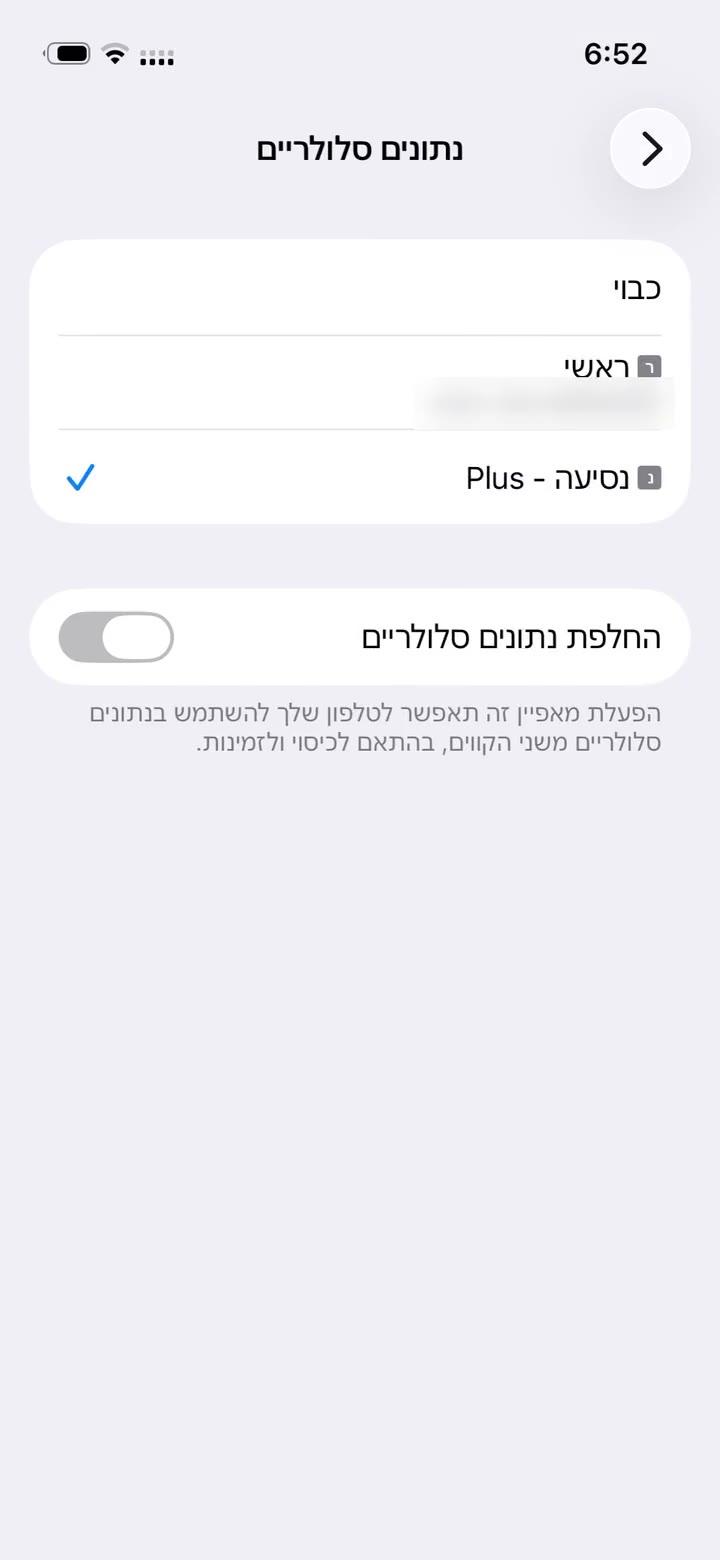
- 2
Turn Data Roaming off on your home line. If you don't need the home line at all, switch it off, as shown.
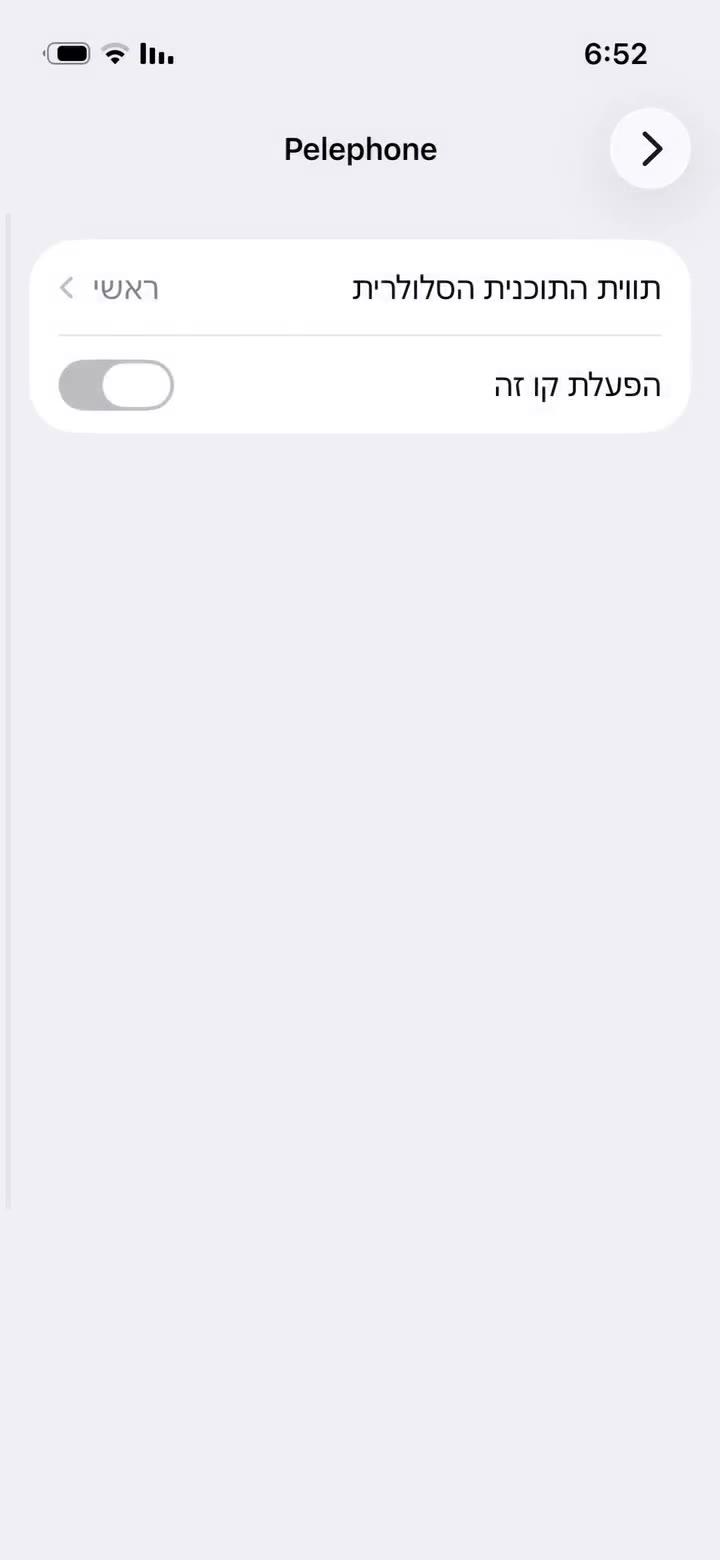
- 1
Settings → Connections → SIM manager: choose the eSIM line for "Mobile data", and turn off automatic data switching if it's there.
- 2
Turn roaming off on your home line (Samsung: Settings → Connections → Mobile networks → Data roaming).
Calls and SMS you receive on your home line may still be billed by your carrier under its own terms.
Δεν βρήκατε απάντηση;
Η ομάδα μας θα χαρεί να βοηθήσει στη συνομιλία. Επισυνάψτε στιγμιότυπο των ρυθμίσεών σας για ταχύτερη λύση.