
I've landed and there's no internet
This is the most common issue and is almost always a setting. Go through these steps in order:
- 1
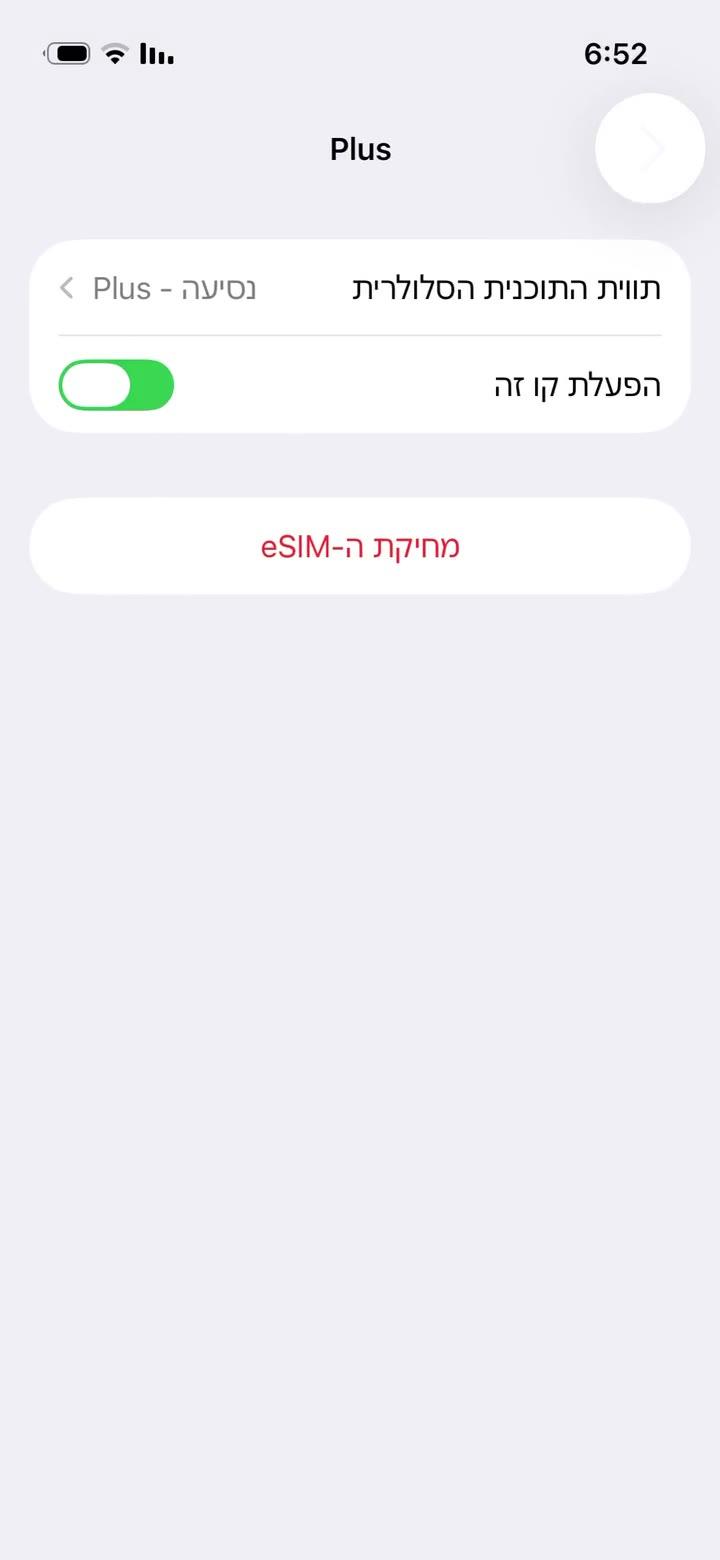
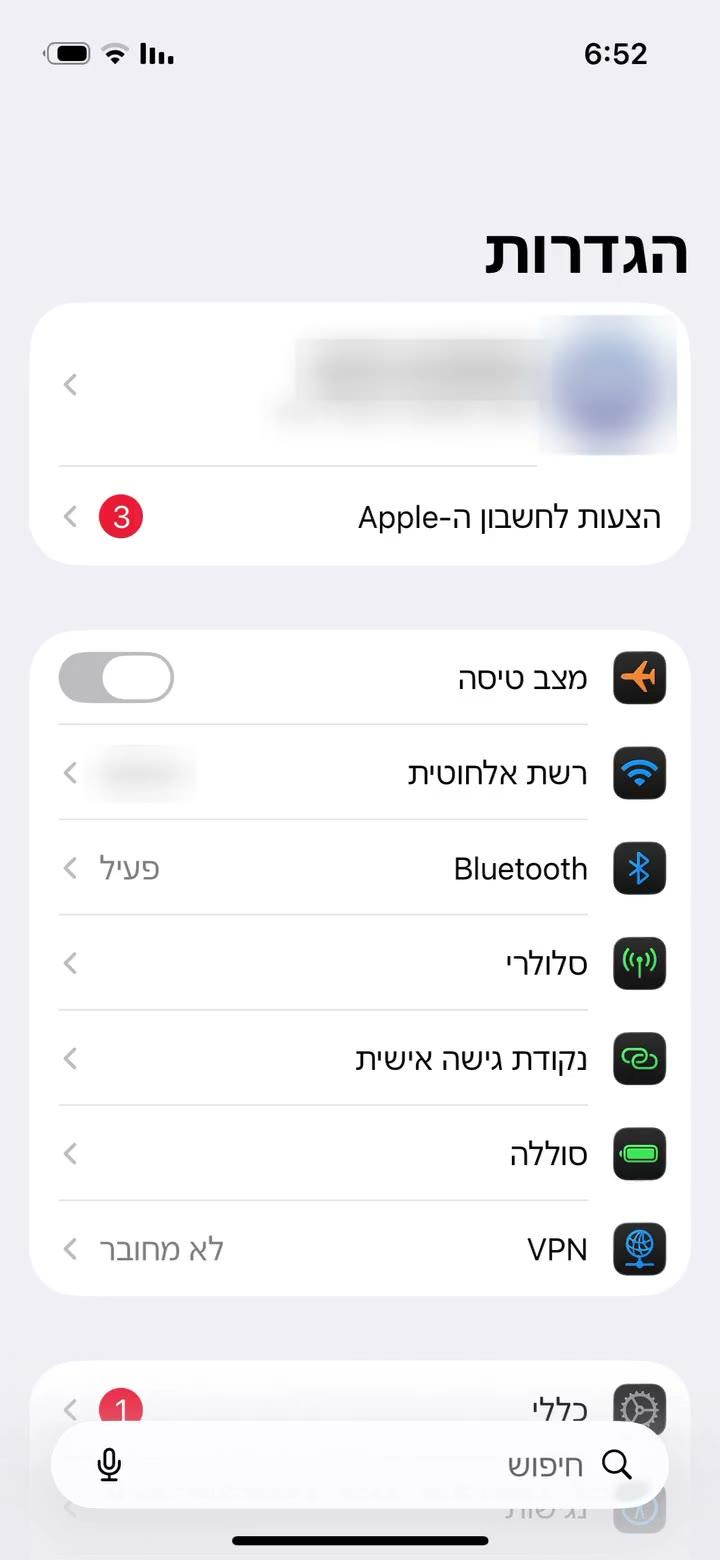
Make sure the eSIM line is on: Settings → Cellular → the eSIM line → "Turn On This Line".
- 2
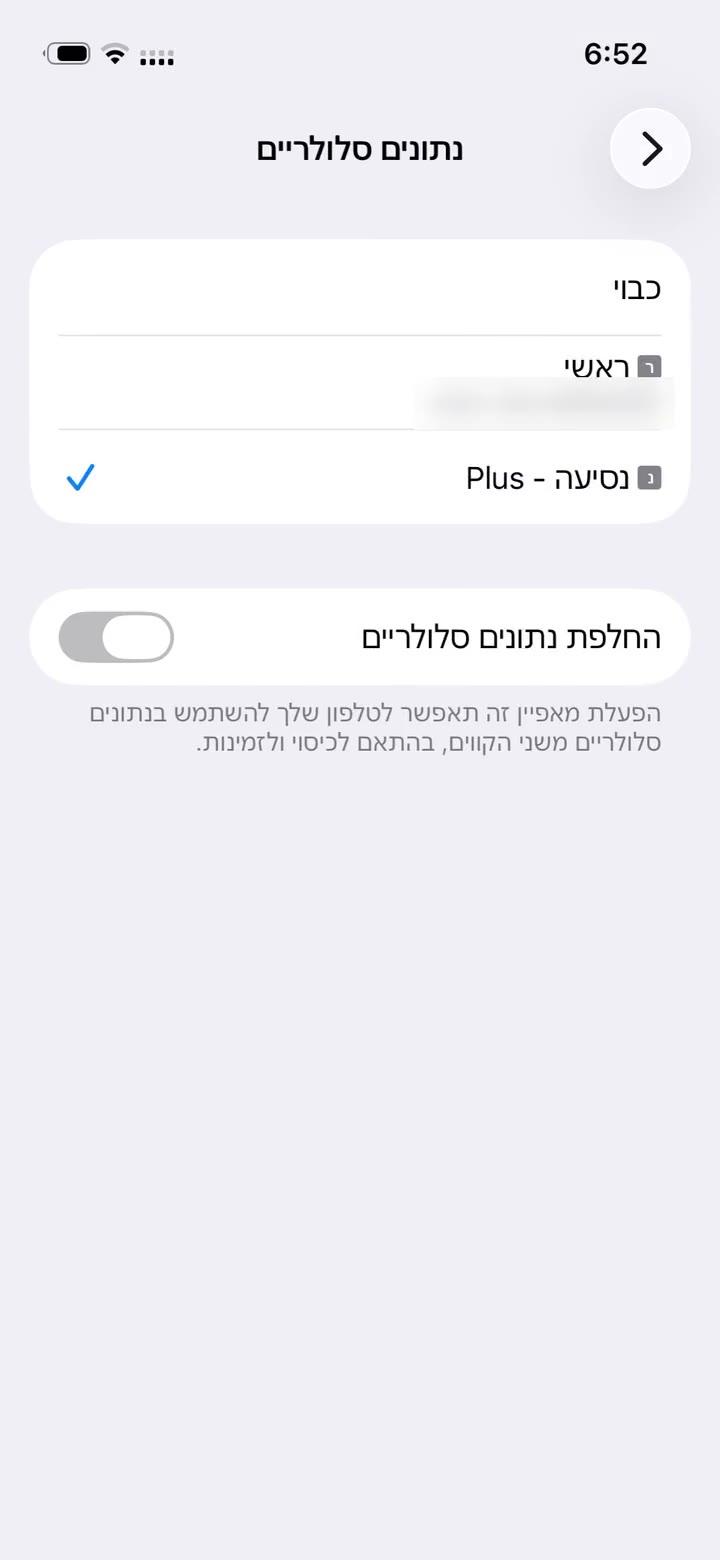
Select it for data: Settings → Cellular → "Cellular Data" → the eSIM line (ticked). Turn off "Allow Cellular Data Switching" there too.
- 3
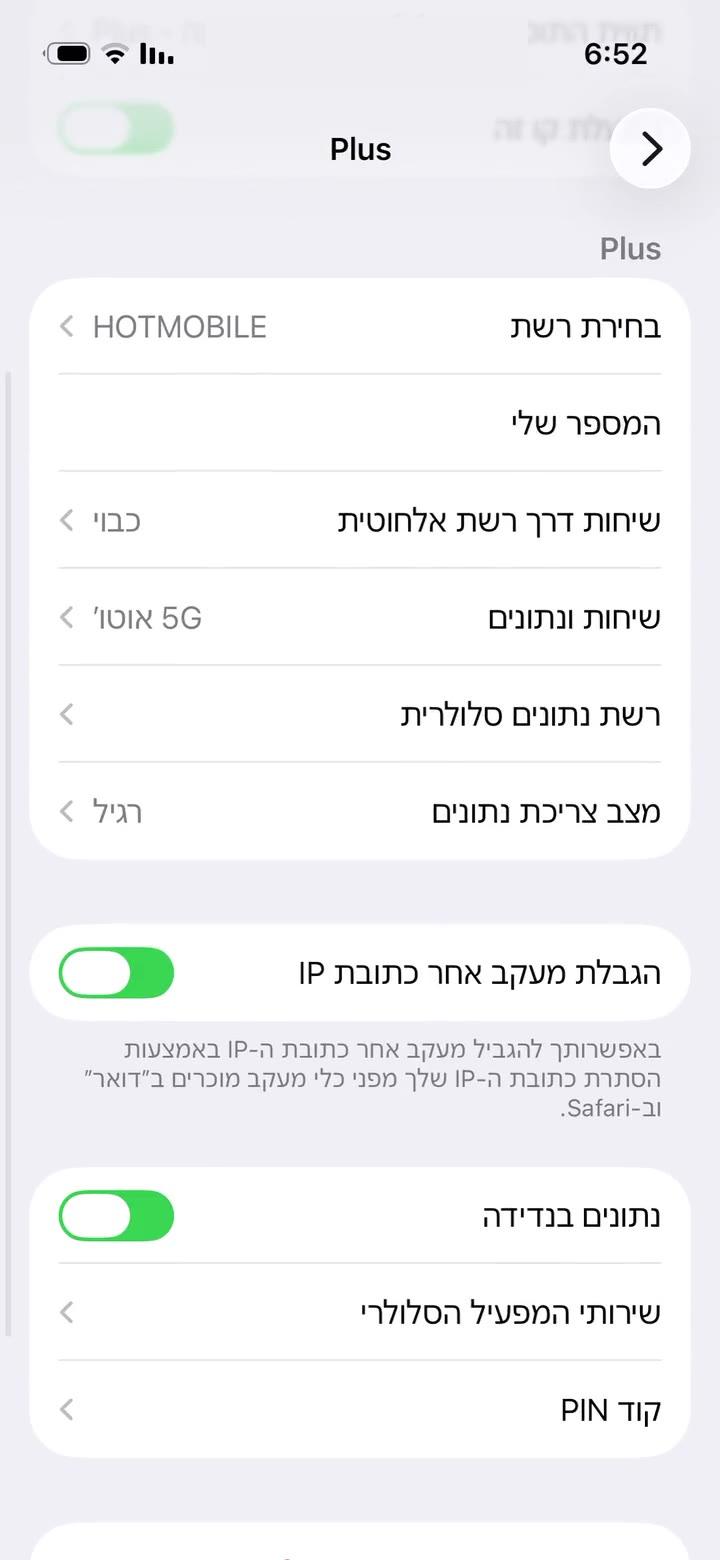
Turn on Data Roaming for the eSIM line. It works abroad as a roaming line; that's normal and costs nothing extra.
- 4
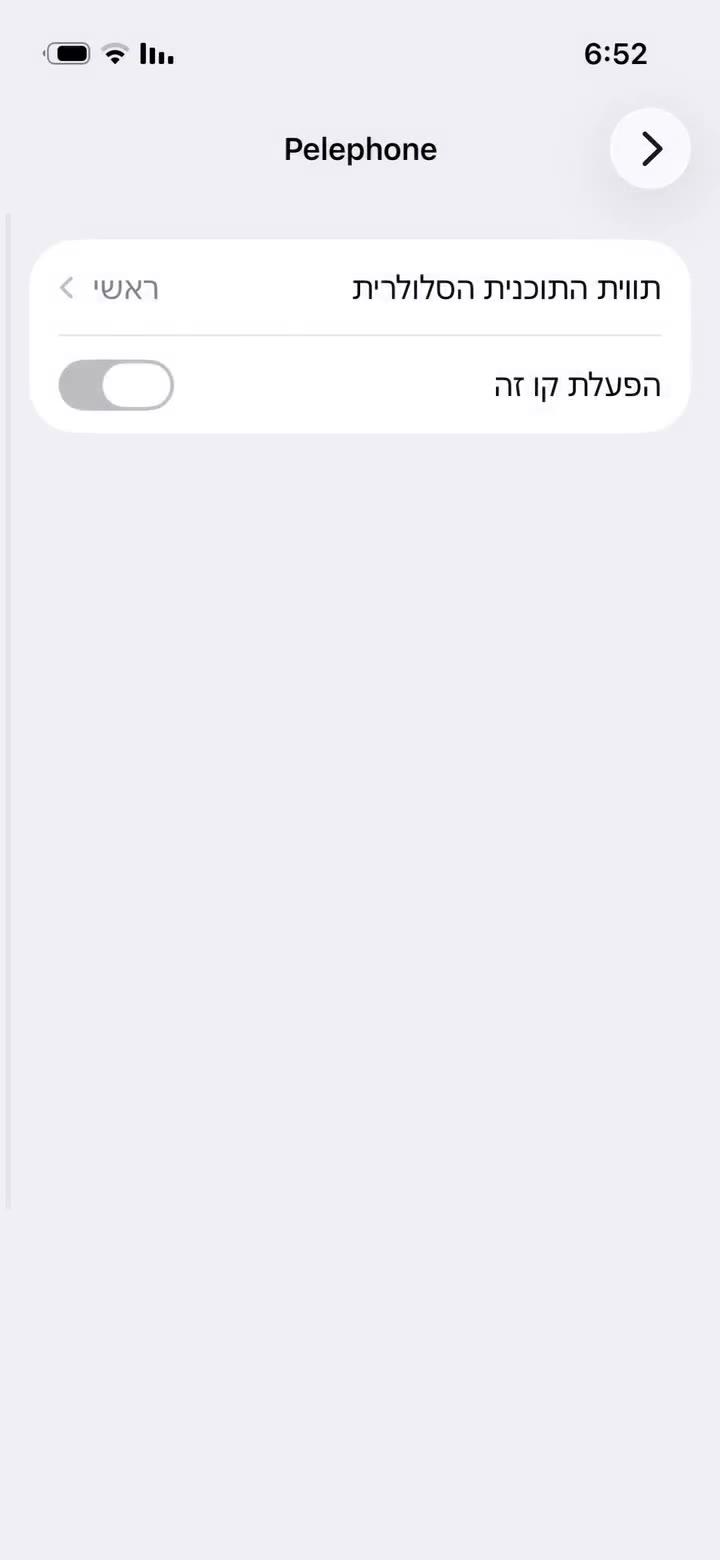
On your home line turn Data Roaming off so data doesn't go through it. To be completely sure, you can switch the home line off, as shown.
- 5
Switch Airplane Mode on for 30 seconds and off again, or restart the phone. Give it a few minutes to find a network.
- 6
Still nothing? In the eSIM line open "Network Selection", turn off "Automatic" and pick another network.
- 1
Make sure the eSIM is on: Settings → Connections → SIM manager (Samsung), or Settings → Network & internet → SIMs (Pixel) → switch the eSIM line on.
- 2
On the same screen choose the eSIM line for "Mobile data".
- 3
Turn on Data roaming for the eSIM line: Samsung – Settings → Connections → Mobile networks; Pixel – inside the eSIM line's settings. It costs nothing extra.
- 4
Turn roaming off on your home line so data doesn't go through it.
- 5
Toggle Airplane mode for 30 seconds, or restart the phone.
- 6
Still nothing? Mobile networks → Network operators: turn off "Select automatically" and pick another network.
Chose a future start date at checkout? The plan only connects from that day. Still stuck? Send us a screenshot of your cellular settings in the chat.
Geen antwoord gevonden?
Ons team helpt graag in de chat. Voeg een screenshot van je instellingen toe, dan lossen we het sneller op.