
How do I install the eSIM?
After payment your eSIM is in your e-mail and your account. There are three ways to install it, all needing an internet connection (Wi‑Fi is best):
- 1
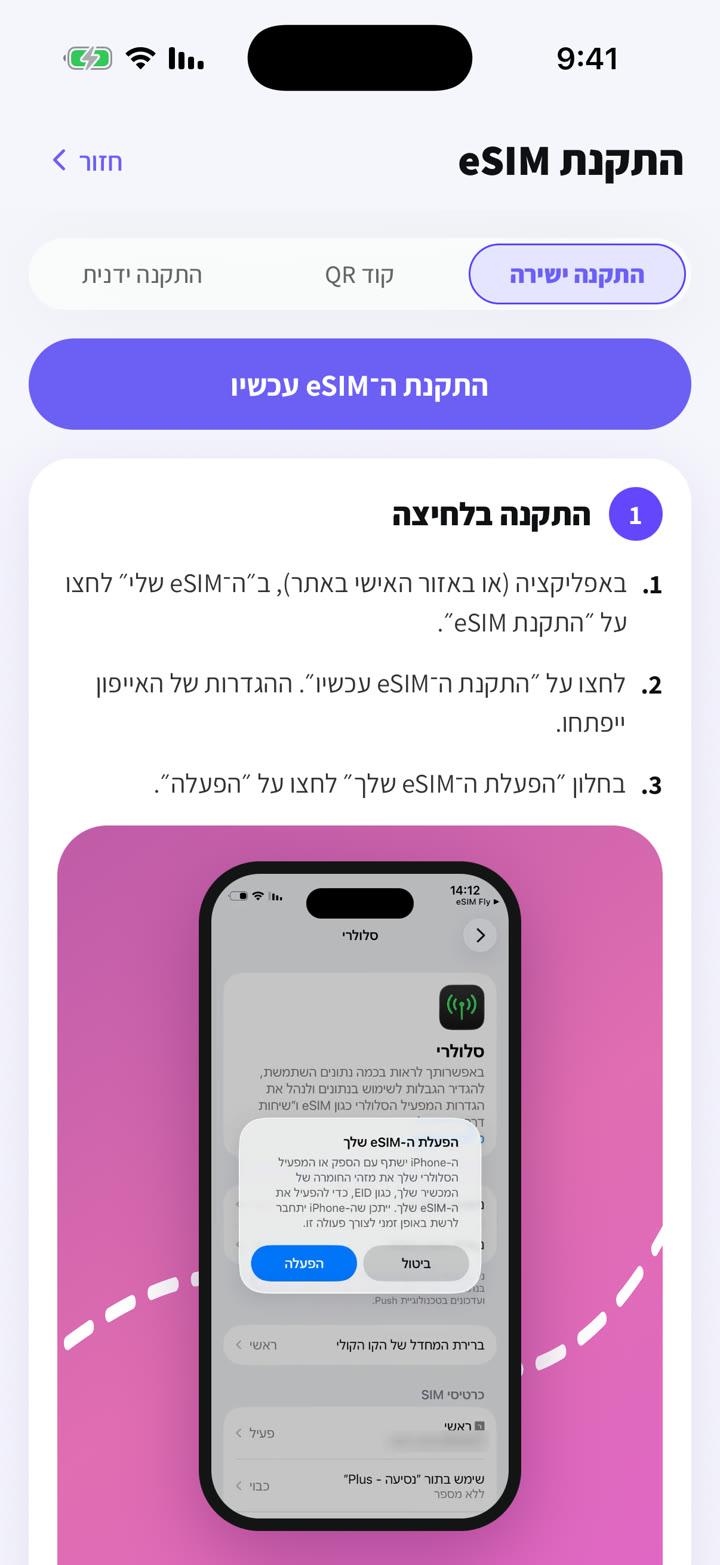
Direct install (iPhone): open the eSIM in your account or the app on the same phone and choose "Direct install".
- 2
Scan the QR code: show it on another screen (a computer or second phone) and scan it from your cellular settings.
- 3
Manual install: copy the "SM-DP+ address" and "Activation code" into your settings.
Yanıt bulamadınız mı?
Ekibimiz sohbette yardımcı olmaktan memnuniyet duyar. Ayarlarınızın ekran görüntüsünü ekleyin, daha hızlı çözelim.