
How do I avoid charges from my home carrier?
As long as data goes through the eSIM, your home carrier doesn't bill for data. To be sure:
- 1
Select the eSIM line under "Cellular Data" and turn off "Allow Cellular Data Switching", so the phone never falls back to your home line.
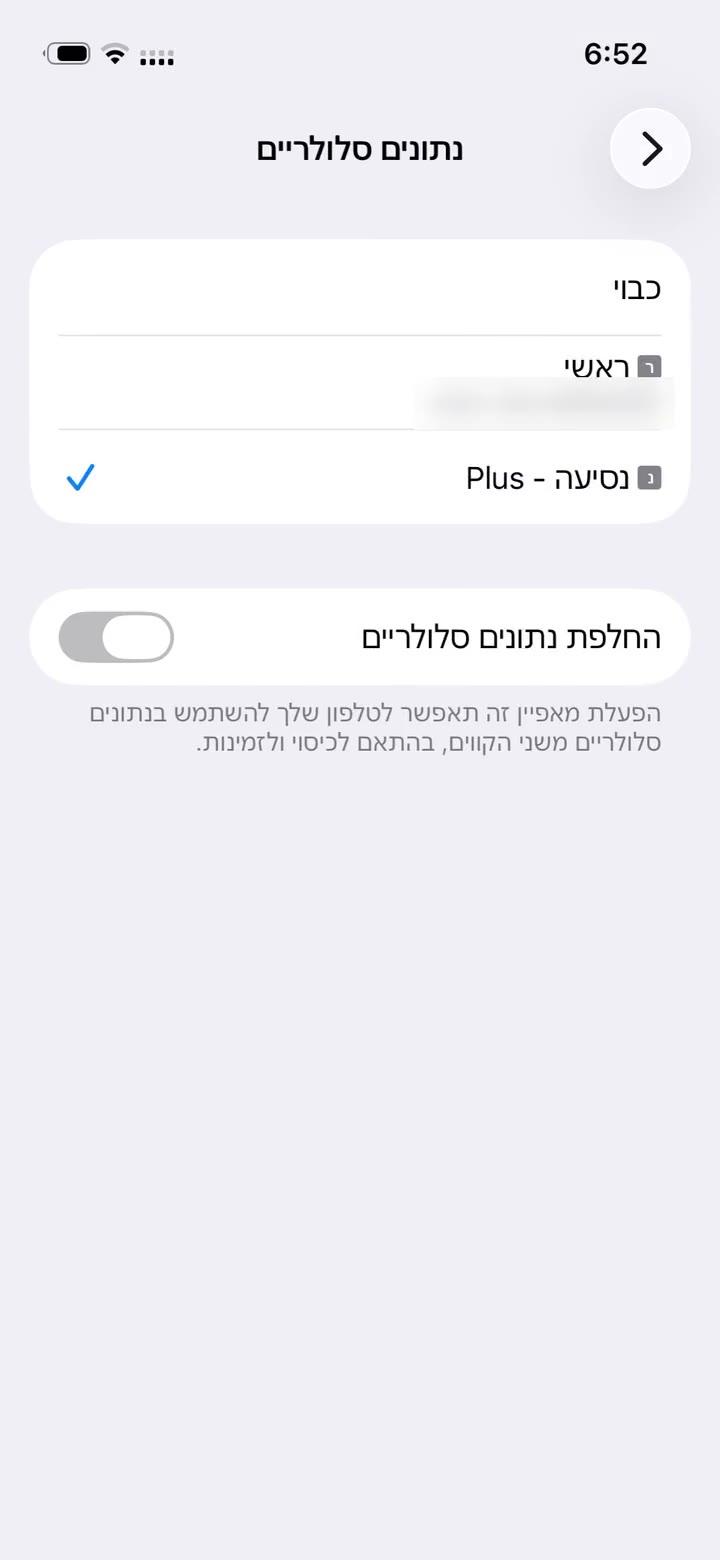
- 2
Turn Data Roaming off on your home line. If you don't need the home line at all, switch it off, as shown.
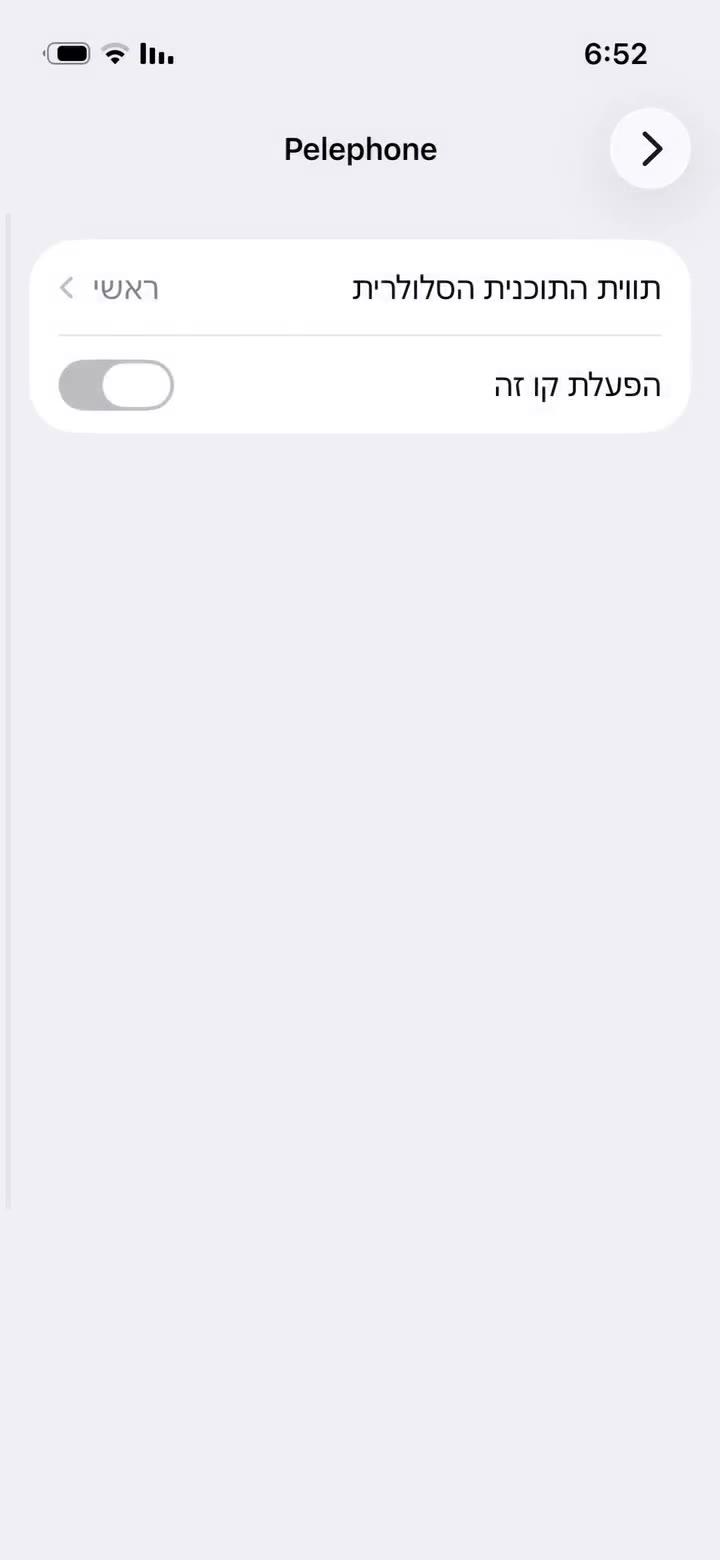
- 1
Settings → Connections → SIM manager: choose the eSIM line for "Mobile data", and turn off automatic data switching if it's there.
- 2
Turn roaming off on your home line (Samsung: Settings → Connections → Mobile networks → Data roaming).
Calls and SMS you receive on your home line may still be billed by your carrier under its own terms.
Yanıt bulamadınız mı?
Ekibimiz sohbette yardımcı olmaktan memnuniyet duyar. Ayarlarınızın ekran görüntüsünü ekleyin, daha hızlı çözelim.