
I've landed and there's no internet
This is the most common issue and is almost always a setting. Go through these steps in order:
- 1
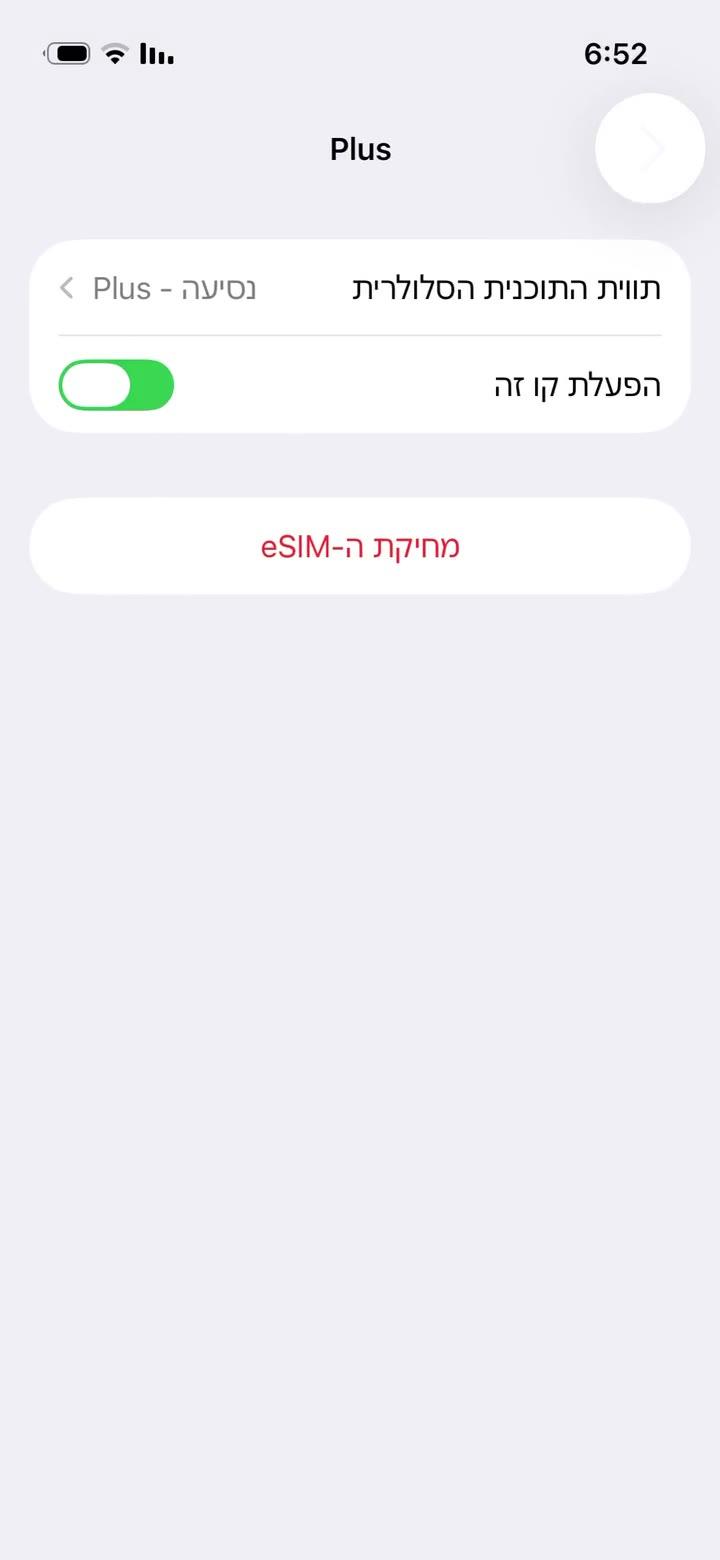
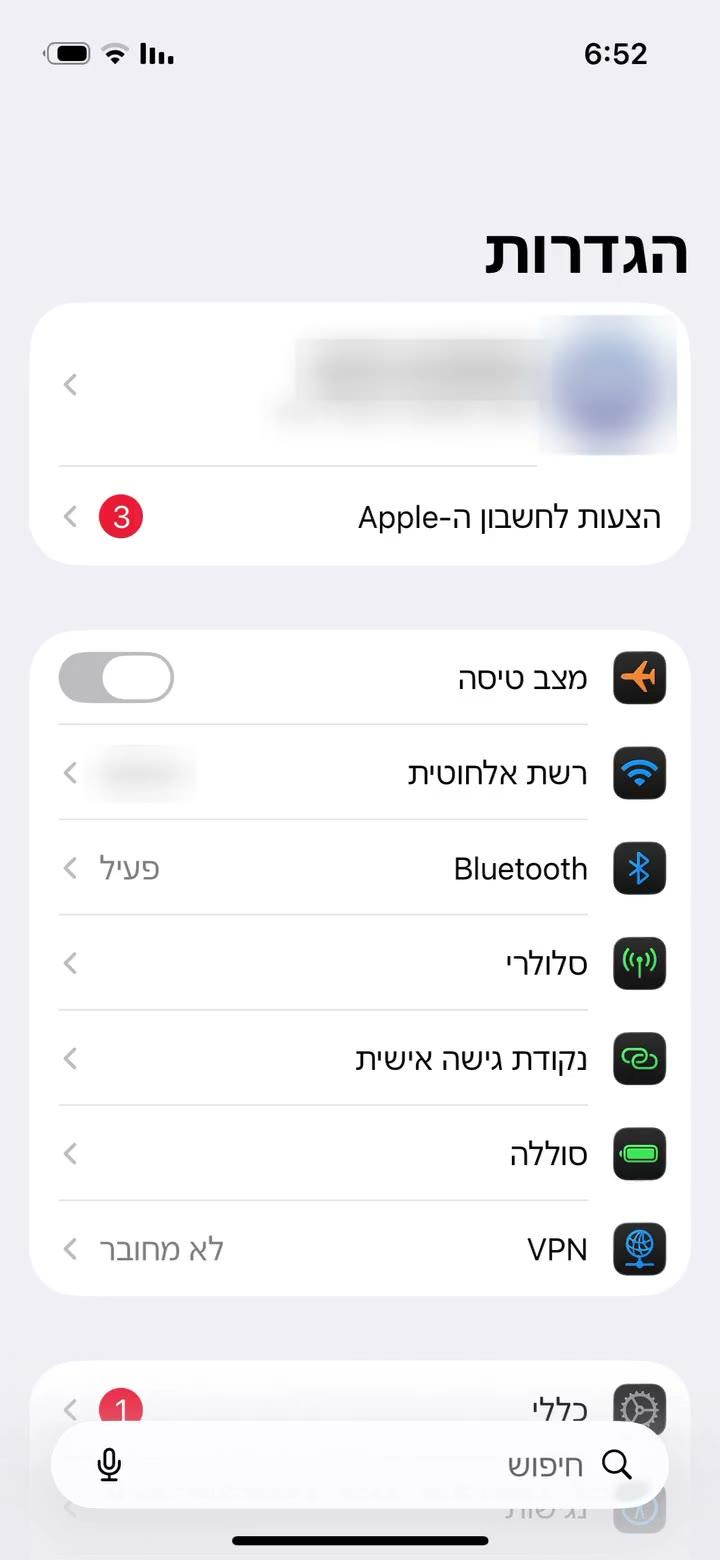
Make sure the eSIM line is on: Settings → Cellular → the eSIM line → "Turn On This Line".
- 2
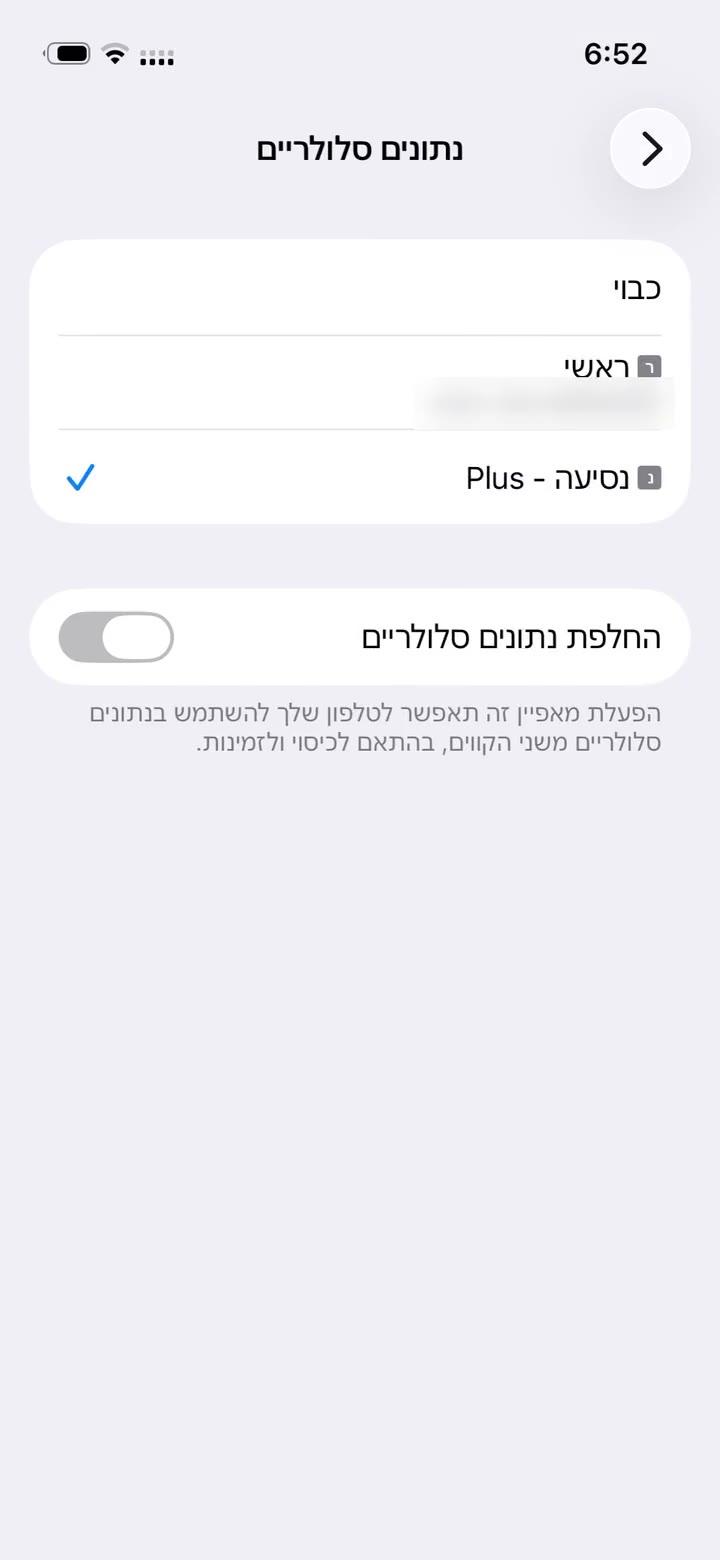
Select it for data: Settings → Cellular → "Cellular Data" → the eSIM line (ticked). Turn off "Allow Cellular Data Switching" there too.
- 3
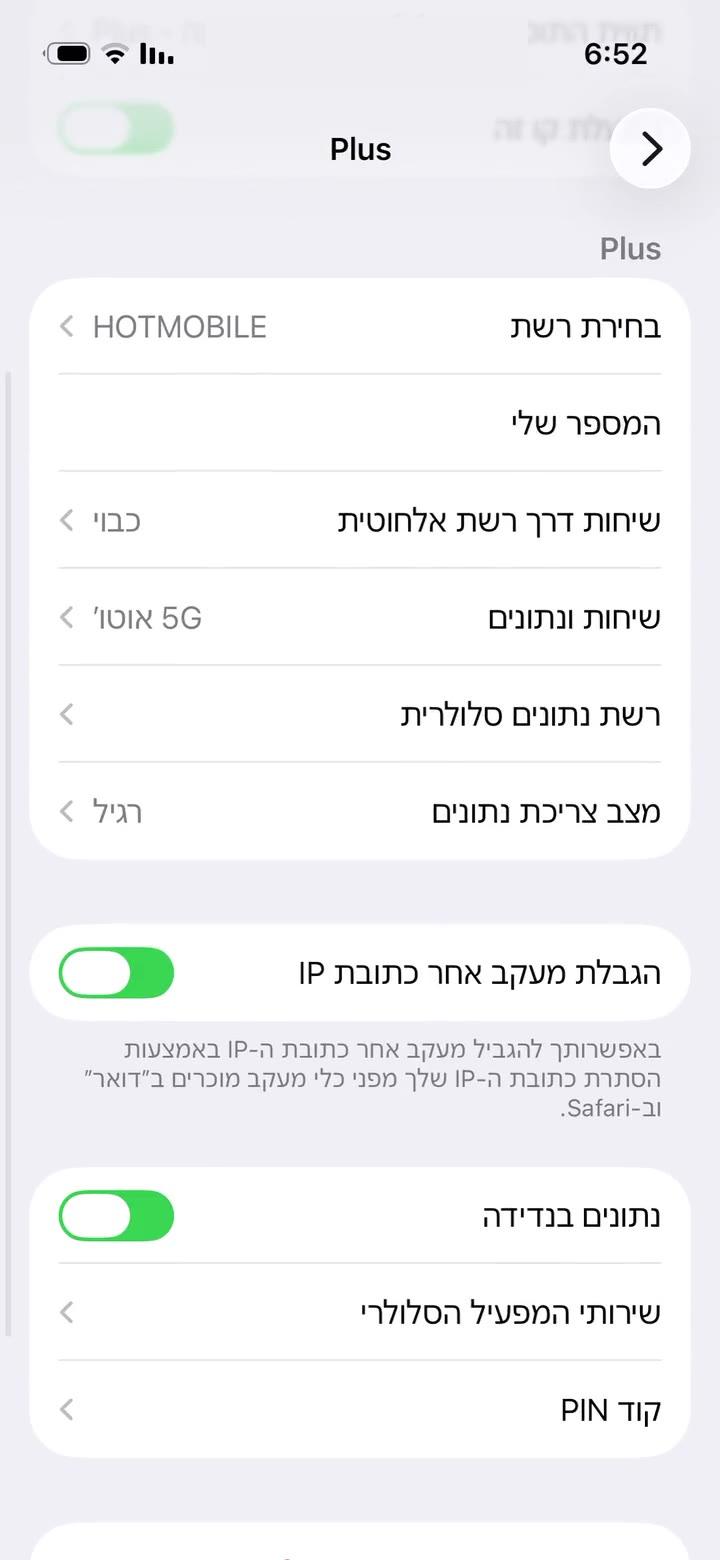
Turn on Data Roaming for the eSIM line. It works abroad as a roaming line; that's normal and costs nothing extra.
- 4
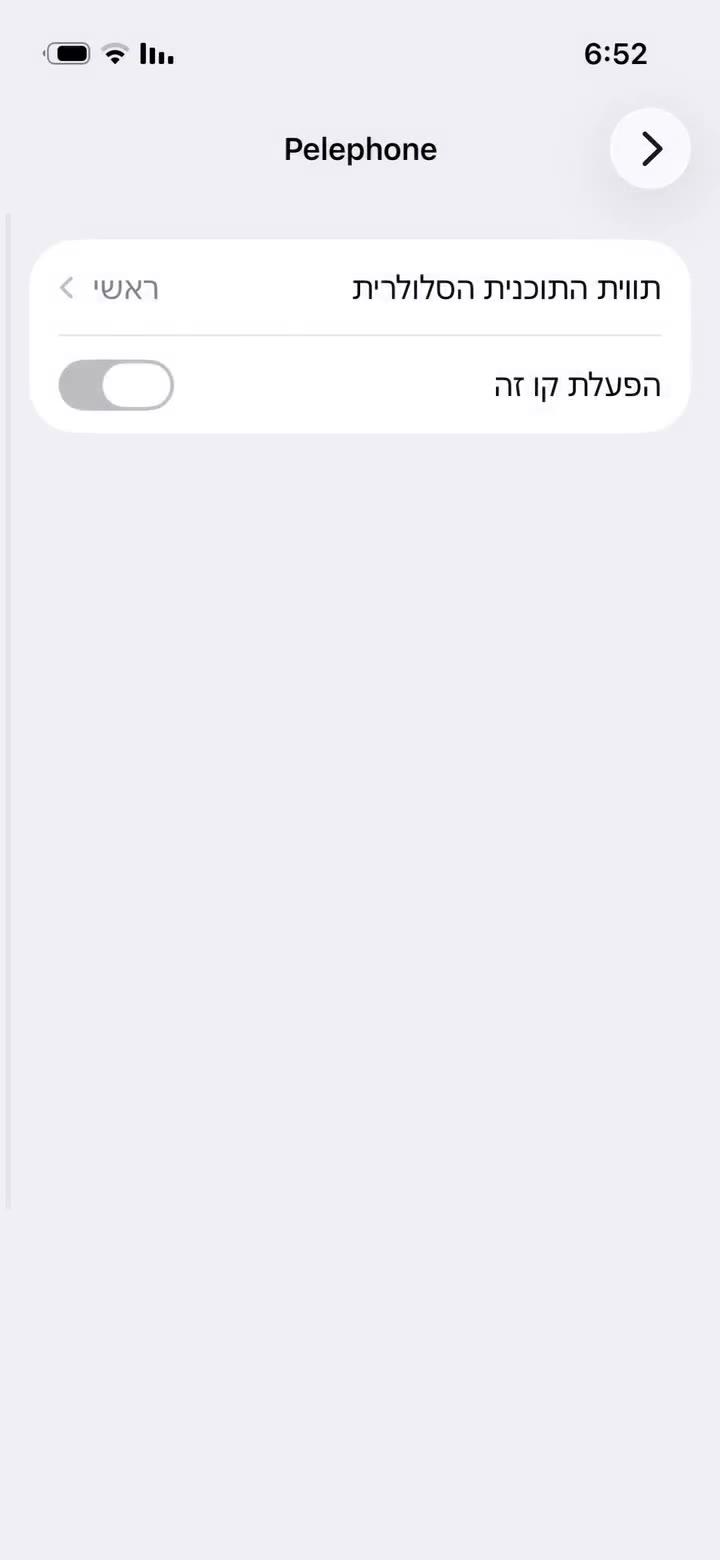
On your home line turn Data Roaming off so data doesn't go through it. To be completely sure, you can switch the home line off, as shown.
- 5
Switch Airplane Mode on for 30 seconds and off again, or restart the phone. Give it a few minutes to find a network.
- 6
Still nothing? In the eSIM line open "Network Selection", turn off "Automatic" and pick another network.
- 1
Make sure the eSIM is on: Settings → Connections → SIM manager (Samsung), or Settings → Network & internet → SIMs (Pixel) → switch the eSIM line on.
- 2
On the same screen choose the eSIM line for "Mobile data".
- 3
Turn on Data roaming for the eSIM line: Samsung – Settings → Connections → Mobile networks; Pixel – inside the eSIM line's settings. It costs nothing extra.
- 4
Turn roaming off on your home line so data doesn't go through it.
- 5
Toggle Airplane mode for 30 seconds, or restart the phone.
- 6
Still nothing? Mobile networks → Network operators: turn off "Select automatically" and pick another network.
Chose a future start date at checkout? The plan only connects from that day. Still stuck? Send us a screenshot of your cellular settings in the chat.
Yanıt bulamadınız mı?
Ekibimiz sohbette yardımcı olmaktan memnuniyet duyar. Ayarlarınızın ekran görüntüsünü ekleyin, daha hızlı çözelim.